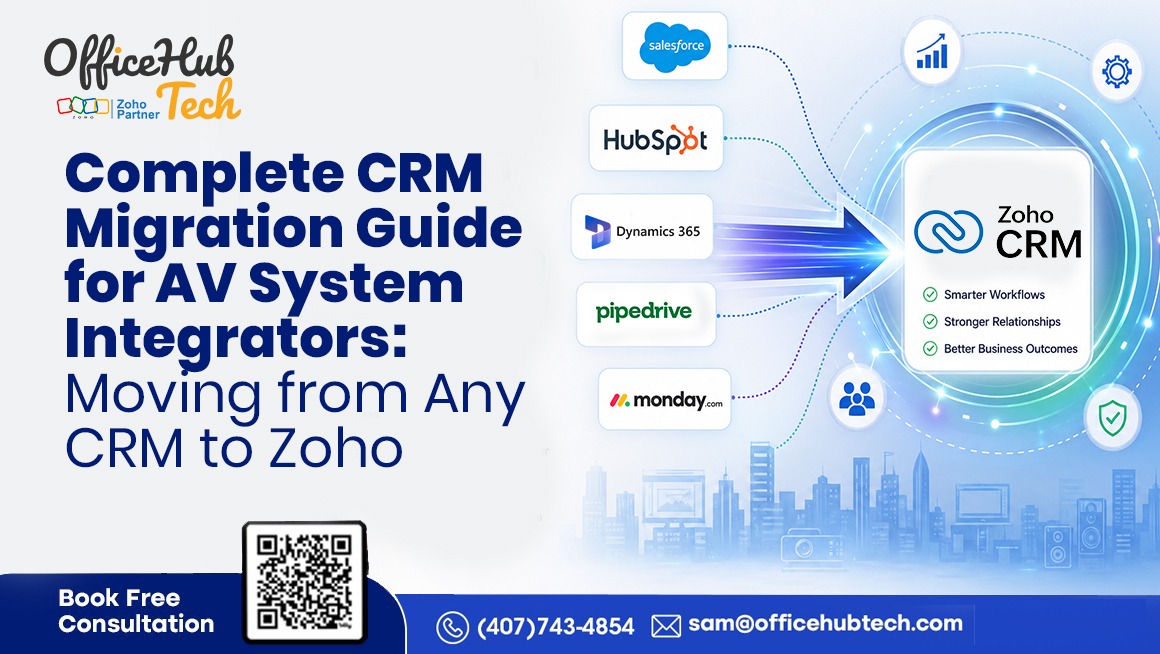
Complete CRM Migration Guide for AV System Integrators: Moving from Any CRM to Zoho
Why AV System Integrators Need a Strategic CRM Migration to Zoho CRM
Customer Relationship Management (CRM) software is essential for managing customer interactions, sales opportunities, and business growth. However, for AV System Integrators, CRM must support much more than sales. Every project involves multiple stages—from site surveys and solution design to proposal management, procurement, installation, commissioning, service, and long-term customer support. This requires a CRM platform that connects teams, streamlines workflows, and integrates with the entire business ecosystem.
As AV businesses grow, many outgrow platforms like Salesforce, HubSpot, Microsoft Dynamics 365, Pipedrive, Monday.com, and other CRM solutions. While these systems effectively manage sales, they often require additional applications, complex customizations, or third-party integrations to support end-to-end AV operations, leading to disconnected data and inefficient processes.
This Complete CRM Migration Guide for AV System Integrators explains how to successfully move from any CRM to Zoho CRM. It covers migration planning, data preparation, workflow optimization, integration strategies, technical best practices, and platform-specific migration considerations. More importantly, it highlights how a well-planned Zoho CRM migration helps AV businesses build a connected, scalable, and automation-ready digital ecosystem that supports long-term growth and operational excellence.
Business Challenges Driving CRM Migration
The AV industry has evolved rapidly, with customers expecting faster proposals, better project visibility, seamless communication, and proactive post-installation support. While many AV System Integrators adopted CRM platforms like Salesforce, HubSpot, Microsoft Dynamics 365, Pipedrive, and Monday.com, these systems are often optimized for sales rather than end-to-end business operations.
As projects move beyond the sales stage, teams frequently switch between spreadsheets, emails, project management tools, accounting software, and service applications. This fragmented technology landscape creates data silos, manual processes, and limited visibility across departments, reducing operational efficiency.
Maintaining heavily customized CRM systems also becomes increasingly expensive. Adding new workflows, automating approvals, integrating third-party applications, or generating advanced reports often requires additional development and licensing costs.
With AI, automation, and data-driven decision-making becoming business priorities, AV companies need a centralized platform where customer, project, financial, and service data are connected. Zoho CRM addresses these challenges through flexible customization, workflow automation, API-based integrations, and seamless connectivity with the Zoho ecosystem. For AV System Integrators, it provides a scalable and cost-effective CRM solution that supports digital transformation while improving collaboration, operational efficiency, and long-term business growth.
Signs Your Existing CRM Is Holding Your AV Business Back
If your current CRM is slowing operations instead of supporting growth, it may be time to consider migration. Here are the key indicators:
- Overdependence on Spreadsheets: When sales, project management, procurement, and service teams rely on spreadsheets outside the CRM, it indicates disconnected workflows and inefficient data management.
- Duplicate or Inconsistent Customer Data: Multiple versions of customer information across departments lead to reporting errors, communication gaps, and poor collaboration.
- Limited Project Visibility: If your CRM loses visibility after a deal is closed—making it difficult to track procurement, installation, warranties, or service requests—it is no longer supporting the complete AV project lifecycle.
- Lack of Flexibility: When simple changes such as creating workflows, adding custom fields, or integrating business applications require extensive development time and high costs, your CRM may not be scalable for future growth.
- Disconnected Business Systems: A CRM that doesn’t integrate with proposal tools, ERP, finance, inventory, or service platforms creates data silos and manual processes across departments.
- Not Ready for AI & Automation: Modern AI solutions require centralized, structured, and connected business data. If your CRM cannot support automation, integrations, and AI-driven insights, it may limit innovation and long-term business scalability.
Why Zoho CRM Fits the AV System Integration Industry
Unlike traditional CRM platforms that primarily focus on managing sales pipelines, Zoho CRM is designed to support the end-to-end business processes of AV System Integrators. It acts as a centralized platform that connects customer data with sales, project management, procurement, finance, inventory, and customer service, ensuring seamless collaboration throughout the project lifecycle.
Built for Complex AV Workflows
AV projects involve multiple teams, including sales, solution design, procurement, installation, and support. Zoho CRM enables all departments to access consistent customer information while maintaining complete visibility from lead generation to post-installation service.
Highly Customizable
Zoho CRM can be tailored to match your business operations through custom modules, layouts, workflows, Blueprints, approval processes, validation rules, and role-based access controls. This flexibility makes it suitable for residential, commercial, healthcare, education, hospitality, and enterprise AV projects.
Automation & Seamless Integrations
Workflow automation helps streamline repetitive tasks such as lead assignment, follow-ups, quotation approvals, task creation, and customer notifications. Technically, Zoho CRM integrates with ERP systems, proposal management software, accounting platforms, document management solutions, and AI applications using REST APIs, webhooks, Zoho Flow, and middleware platforms like n8n, creating a connected and automation-ready business ecosystem.
By combining customization, automation, integrations, analytics, and AI capabilities, Zoho CRM provides AV System Integrators with a scalable foundation for long-term digital transformation rather than simply serving as another customer relationship management tool.
Before You Migrate: Assess Your Current CRM Environment
A successful CRM migration starts with evaluating your existing CRM environment to ensure a smooth transition and better business outcomes.
- Review Your CRM Structure: Audit modules such as Leads, Contacts, Accounts, Opportunities, Activities, Quotes, Products, Vendors, and custom modules to identify outdated or unused configurations.
- Assess Data Quality: Remove duplicate records, correct incomplete information, standardize customer data, and decide which active and historical records should be migrated.
- Analyze Business Processes: Evaluate current sales, project management, procurement, installation, and service workflows to identify areas for improvement rather than replicating outdated processes.
- Review Existing Integrations: Document integrations with proposal software, ERP, accounting, email, telephony, customer support, and other business applications to ensure uninterrupted operations after migration.
- Evaluate Security & Automation: Review user roles, permissions, approval workflows, dashboards, reports, and automation rules to determine what should be retained, improved, or removed.
A comprehensive CRM assessment helps AV System Integrators design a cleaner, scalable, and future-ready Zoho CRM environment aligned with current business goals.
CRM Migration Roadmap for AV System Integrators
Migrating from one CRM platform to Zoho CRM is not simply a data transfer project. For AV System Integrators, it is an opportunity to redesign business operations, eliminate manual processes, and create a connected digital ecosystem that supports sales, engineering, procurement, installation, project management, and customer service. A structured migration roadmap minimizes risks, protects valuable business data, and ensures every department is prepared to work efficiently in the new system.
Step 1: Determine Business Goals and Success Metrics
Every successful CRM migration begins with clear business objectives rather than software features. Before configuring Zoho CRM, identify the operational challenges your business wants to solve. These may include reducing manual data entry, improving collaboration between sales and project teams, accelerating proposal approvals, increasing customer visibility, or replacing disconnected spreadsheets.
Involve representatives from sales, engineering, finance, project management, procurement, customer service, and leadership to understand department-specific requirements. Define measurable KPIs such as lead response time, proposal turnaround time, sales cycle length, customer retention, and workflow automation rates. These metrics become the benchmark for evaluating the success of your CRM migration after deployment.
Step 2: Audit and Prepare Existing CRM Data
The quality of your CRM data directly impacts the success of your migration. Before moving to Zoho CRM, review your existing customer records, contacts, companies, opportunities, products, vendors, activities, attachments, and custom modules.
Remove duplicate records, archive outdated information, standardize naming conventions, and correct incomplete or inconsistent data. Determine which historical records should be retained and which can be archived. This is also the ideal time to review custom fields and map them to their corresponding Zoho CRM modules. Clean, well-structured data improves reporting accuracy, automation, AI readiness, and user confidence in the new system.
Step 3: Prepare and Clean CRM Data Using Zoho DataPrep
Migrating poor-quality data into a new CRM only transfers existing problems into a new system. Before importing customer records into Zoho CRM, AV System Integrators should cleanse, standardize, validate, and transform their existing CRM data to ensure accuracy and consistency.
Zoho DataPrep simplifies this process by providing an AI-powered, no-code data preparation platform that helps organizations identify duplicate records, correct inconsistent formats, validate missing information, transform data structures, and enrich datasets before migration. Instead of manually cleaning spreadsheets, businesses can build reusable data pipelines that automate data preparation and improve overall data quality.
For CRM migration projects, Zoho DataPrep can help:
- Remove duplicate Leads, Contacts, and Accounts
- Standardize company names, addresses, phone numbers, and date formats
- Identify missing or invalid customer information
- Transform legacy CRM fields to match the Zoho CRM data model
- Merge data from multiple CRM systems or spreadsheets
- Validate and prepare datasets before importing them into Zoho CRM
- Create reusable ETL pipelines for future data synchronization and migration projects
Using Zoho DataPrep before migration significantly reduces import errors, improves reporting accuracy, and creates a stronger foundation for workflow automation, AI, analytics, and long-term CRM adoption.
Step 4: Redesign Business Processes Before Building Zoho CRM
A common migration mistake is recreating existing workflows without questioning whether they still support the business. Instead of copying your current CRM configuration, use migration as an opportunity to evaluate how work actually moves across your organization.
Document the complete customer lifecycle—from lead generation and site surveys to proposal creation, procurement, installation, commissioning, warranty management, preventive maintenance, and ongoing service. Identify departmental handoffs, approval points, recurring delays, duplicate data entry, and manual activities that slow operations.
The goal of this phase is not to configure Zoho CRM but to define the future-state business process. By simplifying approvals, eliminating unnecessary steps, and standardizing operating procedures, AV System Integrators can create more efficient workflows before any system configuration begins. A well-designed business process provides the blueprint for every automation, integration, and customization implemented later in the project.
Step 5: Configure Zoho CRM to Match Your New Business Processes
Once business processes have been finalized, the next step is translating them into Zoho CRM. This includes configuring standard and custom modules, page layouts, field validations, role-based security, approval hierarchies, Blueprints, dashboards, and reports that reflect how your organization operates.
Rather than building a CRM that mirrors legacy systems, configure Zoho CRM to support standardized processes that can scale with future business growth. Design modules for AV-specific operations such as Site Surveys, System Designs, Installation Checklists, Maintenance Contracts, or Project Documentation where required.
At this stage, workflows are configured to enforce the redesigned business processes. Approval rules, task assignments, notifications, and customer communications are implemented based on the business decisions made during Step 3. By separating process design from system configuration, organizations avoid unnecessary customization and create a cleaner, more maintainable CRM environment.
Step 6: Execute Data Migration and Validate Results
Once your Zoho CRM environment has been configured, the next step is to migrate your business data using the most appropriate migration approach, such as native migration tools, CSV imports, REST APIs, middleware platforms, or custom integration scripts. Before importing data into Zoho CRM, ensure that customer records, contacts, companies, opportunities, products, activities, attachments, custom fields, and related business data have been properly cleaned, standardized, and validated.
For organizations migrating from multiple CRM platforms, spreadsheets, ERP systems, or legacy databases, Zoho DataPrep can simplify data preparation by helping identify duplicate records, correct inconsistent formats, standardize field values, validate missing information, transform legacy data structures, and prepare datasets for seamless import into Zoho CRM. By automating data cleansing and transformation, businesses can significantly reduce migration errors, improve data quality, and create a stronger foundation for reporting, workflow automation, analytics, and AI-driven business processes.
Before executing the final migration, perform one or more pilot migrations in a testing environment to verify field mappings, module relationships, custom fields, attachments, activities, reports, dashboards, and historical records. Validate that all business-critical information has been accurately transferred and that workflows continue to function as expected.
Throughout the migration process, maintain secure backups and a documented rollback strategy to minimize operational risks and ensure business continuity. A carefully planned migration combined with proper data preparation helps AV System Integrators transition to Zoho CRM with confidence while preserving data integrity and long-term system reliability.
Step 7: Integrate Business Systems and Enable End-to-End Automation
Once Zoho CRM is populated with accurate data, the focus shifts to connecting your entire business ecosystem. AV System Integrators rely on proposal platforms, ERP systems, accounting software, inventory management, project management, and customer service applications to manage the complete project lifecycle.
Zoho CRM can integrate with leading AV proposal platforms including D-Tools Cloud / D-Tools SI, XTEN-AV, Jetbuilt, ProjX360, Portal.io, Simply Reliable, iPoint Control, Simpro, Specifi.io, EBQ Red, ConnectWise Sell, Proposify, and WeQuote, using REST APIs, Zoho Flow, middleware platforms such as n8n, or custom integrations. These integrations eliminate duplicate data entry, improve collaboration, and ensure information flows seamlessly from proposal creation to project delivery and ongoing customer support.
This is also the stage where workflow automation is enabled, including customer notifications, project handovers, installation scheduling, service reminders, renewal alerts, and data synchronization across business applications. The result is a connected, automation-ready ecosystem that improves operational efficiency and supports long-term business growth.
Step 8: Train Users, Go Live, and Continuously Improve
Before deployment, conduct User Acceptance Testing (UAT) with representatives from every department to validate workflows, security, reports, dashboards, integrations, and mobile functionality.
Provide role-specific training that focuses not only on using Zoho CRM but also on the new business processes introduced during the migration. Once the system goes live, monitor adoption, gather user feedback, track performance against the KPIs defined in Step 1, and continuously optimize workflows as business requirements evolve.
A CRM migration should be viewed as the beginning of an ongoing digital transformation journey rather than the completion of a software implementation project.
Migrating from Popular CRM Platforms to Zoho CRM
Many AV System Integrators outgrow traditional CRM platforms like Salesforce, HubSpot, Microsoft Dynamics 365, Pipedrive, and Monday.com as their business expands beyond sales management. They require a unified platform that connects sales, project delivery, procurement, finance, inventory, customer service, and automation. Migrating to Zoho CRM doesn’t mean starting over. With proper planning, businesses can securely migrate customer records, workflows, custom fields, and integrations while maintaining data integrity. A successful migration begins with assessing the existing CRM, customizations, integrations, and business processes to build a scalable Zoho CRM environment that supports future business growth.
Migrating from Salesforce to Zoho CRM
Salesforce is a powerful enterprise CRM, but many AV System Integrators outgrow it due to high licensing costs, complex administration, and extensive customizations that require ongoing technical support. Migrating to Zoho CRM provides a more cost-effective solution while preserving essential customer data, including accounts, contacts, opportunities, products, activities, attachments, and custom fields through proper field mapping.
Rather than replicating every Salesforce customization, businesses should use migration to simplify workflows with Zoho CRM’s native automation, Blueprints, custom functions, and Zoho Creator. Integrating Zoho CRM with proposal management tools, ERP systems, project management, accounting, and customer service applications creates a connected business ecosystem. A well-planned migration reduces operational complexity, improves efficiency, and delivers a scalable, AI-ready CRM platform that supports long-term business growth.
Migrating from HubSpot to Zoho CRM
HubSpot is popular for its user-friendly interface and strong inbound marketing capabilities, making it a preferred choice for many growing AV companies. However, as businesses expand, they often require advanced customization, deeper operational workflows, and seamless integration across sales, engineering, procurement, installation, and service management.
Migrating from HubSpot to Zoho CRM typically includes transferring contacts, companies, deals, activities, notes, emails, products, custom properties, and pipeline stages. Instead of simply replicating existing workflows, businesses should optimize them to improve operational efficiency.
Organizations using HubSpot Marketing Hub should also plan the migration of campaign data, lead scoring, forms, landing pages, and marketing automation. For AV System Integrators, Zoho CRM offers greater flexibility by integrating with Zoho Projects, Zoho Books, Zoho Inventory, Zoho Desk, Zoho Analytics, and Zoho Creator, creating a connected business ecosystem that supports the entire customer lifecycle—from lead generation and project delivery to customer service and ongoing maintenance.
Migrating from Microsoft Dynamics 365 to Zoho CRM
Microsoft Dynamics 365 is widely used by enterprise organizations for its strong Microsoft integration, security, and advanced business capabilities. However, over time, extensive customizations can increase implementation costs, complicate system upgrades, and require ongoing technical expertise.
Migrating from Microsoft Dynamics 365 to Zoho CRM requires careful planning, especially when multiple modules such as Sales, Customer Service, Field Service, Marketing, and Finance are interconnected. Before migration, businesses should assess data relationships, custom entities, workflows, security roles, and integrations to ensure a smooth transition.
Rather than replicating every existing customization, AV System Integrators can leverage Zoho CRM’s native workflows, Blueprints, approval processes, automation, and Zia AI to simplify operations. This approach creates a more agile, scalable CRM environment that supports evolving business needs while reducing complexity and long-term maintenance costs.
Migrating from Pipedrive to Zoho CRM
Pipedrive is widely used by small and mid-sized AV System Integrators for its simple pipeline management and ease of use. However, as businesses grow, they often need capabilities beyond sales management, including project coordination, procurement, finance, inventory, and customer service.
Migrating from Pipedrive to Zoho CRM is relatively straightforward, as both platforms use similar core modules such as contacts, organizations, deals, activities, products, and notes. Existing sales pipelines can be mapped to Zoho CRM while preserving historical customer interactions. The migration also provides an opportunity to automate manual processes such as follow-up reminders, quotation approvals, task assignments, customer notifications, and project handovers using Zoho CRM’s workflows and Blueprints, helping AV businesses improve operational efficiency, collaboration, and consistency across departments.
Migrating from Monday.com to Zoho CRM
Monday.com is primarily a work management platform, but many AV businesses use it to manage sales opportunities, customer projects, installation schedules, and internal workflows. As operations grow, businesses often require dedicated CRM capabilities to manage the entire customer lifecycle.
Migrating from Monday.com to Zoho CRM enables organizations to centralize customer data while maintaining seamless integration with project management and operational processes. Migration typically includes contacts, organizations, project boards, tasks, activities, documents, custom fields, and workflow logic. Since Monday.com setups are often highly customized, careful mapping of board structures to Zoho CRM modules is essential. By integrating with Zoho Projects and other Zoho applications, AV System Integrators gain end-to-end visibility from lead generation and project execution to customer service, improving collaboration, automation, and overall operational efficiency.
Migrating from Other CRM Platforms
Many AV System Integrators depend on CRM solutions including Freshsales, SugarCRM, Insightly, Copper CRM, Nimble, or custom-built platforms. Regardless of the platform, the migration approach remains similar. The process begins by identifying valuable business data—including customer records, contacts, opportunities, quotations, contracts, service history, and project information—before transferring it to Zoho CRM.
Depending on the source system, migration can be performed using CSV imports, REST APIs, ETL tools, middleware platforms, or custom integration scripts. Proprietary CRM applications may require additional API development or data transformation to ensure a smooth migration.
Rather than focusing solely on data transfer, businesses should use migration as an opportunity to standardize naming conventions, improve reporting structures, eliminate duplicate records, simplify workflows, and establish stronger governance policies that improve long-term CRM adoption.
Common CRM Migration Challenges (And How to Avoid Them)
A successful CRM migration requires careful planning to avoid technical and operational issues. Below are the most common challenges AV System Integrators face and how to address them.
1. Challenge: Poor Data Quality
- How to Avoid: Clean and validate your CRM data before migration by removing duplicate records, correcting incomplete information, and standardizing customer data.
2. Challenge: Incorrect Field Mapping
- How to Avoid: Carefully map standard fields, custom modules, relationships, and workflows between the existing CRM and Zoho CRM before importing data.
3. Challenge: Broken Integrations
- How to Avoid: Identify all connected applications, such as ERP, proposal software, accounting systems, and communication tools, and thoroughly test integrations before going live.
4. Challenge: Low User Adoption
- How to Avoid: Involve key stakeholders early, provide role-based training, and document new workflows to help employees adapt to the new CRM environment.
5. Challenge: Inadequate Testing
- How to Avoid: Perform multiple rounds of User Acceptance Testing (UAT) to verify data accuracy, workflows, reports, dashboards, security settings, mobile access, and automation before deployment.
6. Challenge: Replicating Outdated Processes
- How to Avoid: Use CRM migration as an opportunity to optimize workflows, eliminate unnecessary steps, and automate repetitive business processes instead of recreating legacy inefficiencies.
Beyond CRM: Building a Connected AV Business with Zoho
Modern AV businesses need more than a standalone CRM—they need a connected business ecosystem. Zoho CRM serves as the central platform, connecting sales, project management, finance, procurement, inventory, and customer service to eliminate data silos and improve collaboration. By integrating with Zoho Projects, Zoho Books, Zoho Inventory, and Zoho Desk, AV System Integrators gain end-to-end visibility across the customer lifecycle, from lead generation to post-installation support. Zoho Creator enables custom AV applications for site surveys, installation checklists, and field service operations, while Zoho Flow and n8n automate data synchronization with third-party systems. Combined with Zoho Analytics, businesses can consolidate operational data into actionable dashboards, enabling better decision-making, increased efficiency, and a scalable, AI-ready platform that supports long-term business growth.
How OfficeHub Tech Helps AV System Integrators Migrate to Zoho CRM
CRM migration involves much more than transferring customer data—it requires strategic planning, process optimization, seamless system integration, and user adoption to achieve long-term business value.
As a trusted AVSI business workflow solutions provider in USA, and an authorized Zoho and n8n partner, OfficeHub Tech helps AV System Integrators successfully migrate to Zoho CRM by aligning technology with real-world business operations. The process begins with a detailed assessment of the existing CRM, including customer data, workflows, custom modules, reports, security settings, and third-party integrations, to design a scalable Zoho CRM environment.
OfficeHub Tech also helps cleanse and standardize business data while mapping workflows across sales, engineering, procurement, project management, installation, finance, and customer service to improve efficiency and eliminate operational silos.
Beyond implementation, OfficeHub Tech integrates Zoho CRM with ERP systems, proposal management software, accounting applications, communication platforms, and custom AV business solutions using REST APIs, Zoho Flow, and n8n automation. These integrations create connected workflows that reduce manual effort and improve collaboration.
The partnership continues after deployment with user training, workflow optimization, performance monitoring, and ongoing support, ensuring Zoho CRM evolves alongside your business and supports sustainable growth.
Conclusion
Successfully migrating from any CRM to Zoho CRM requires more than transferring customer data. For AV System Integrators, it involves evaluating processes, cleaning data, redesigning workflows, integrating business applications, and building a scalable CRM environment. Whether migrating from Salesforce, HubSpot, Microsoft Dynamics 365, Pipedrive, Monday.com, or another platform, a structured approach creates a connected ecosystem supporting the entire AV project lifecycle.
CRM migration should be viewed as a digital transformation initiative that helps businesses eliminate data silos, improve collaboration, and gain better operational visibility by connecting sales, projects, finance, inventory, service, analytics, and automation.
Working with an experienced Zoho CRM consultation and implementation service provider further ensures a seamless migration, faster user adoption, optimized business workflows, and a future-ready CRM platform that can scale alongside evolving business needs.