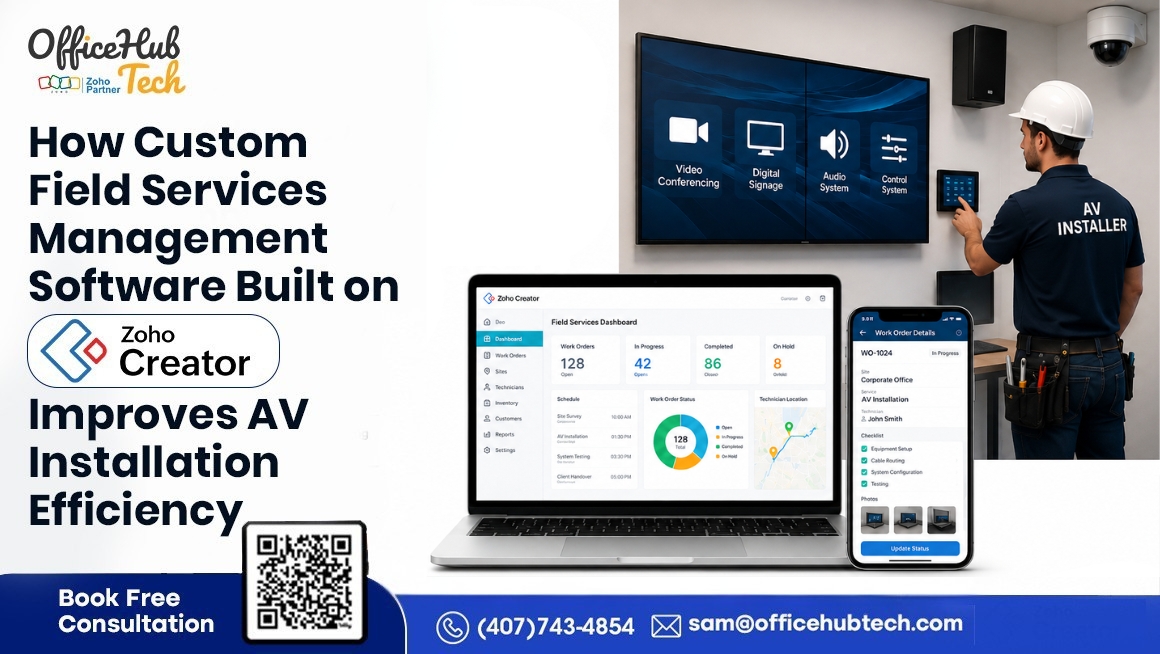
How Custom Field Services Management Software Built on Zoho Creator Improves AV Installation Efficiency
## Quick Answer
A custom field service management software built on Zoho Creator is a centralized platform that helps AV System Integrators automate technician scheduling, work order management, installation planning, inventory tracking, customer communication, billing, and reporting. By replacing manual spreadsheets and disconnected systems with connected workflows and AI-powered automation, businesses can complete installations faster, improve technician productivity, reduce operational costs, and deliver a better customer experience.
## Key Takeaways
– Automates technician scheduling and dispatch
– Centralizes work orders and installation planning
– Improves inventory visibility
– Reduces manual administrative work
– Enables mobile access for field technicians
– Integrates with Zoho CRM, Zoho Desk, Zoho Inventory, and Zoho Books
– Uses AI to automate workflows and service requests
– Improves customer satisfaction and installation efficiency
Why Installation Efficiency Has Become the Biggest Competitive Advantage for AV System Integrators
AV System Integrators are under increasing pressure to complete installations faster while maintaining quality, controlling costs, and meeting rising customer expectations. Managing technicians, inventory, work orders, customer communication, and project timelines through spreadsheets or disconnected software often results in scheduling conflicts, delayed installations, and unnecessary administrative work.
The demand for Field Service Management (FSM) platforms continues to grow as businesses accelerate digital transformation and automate field operations. According to MarketsandMarkets, the global Field Service Management market is projected to grow from USD 5.10 billion in 2025 to USD 9.17 billion by 2030, at a CAGR of 12.5%. This growth reflects increasing investment in AI-powered scheduling, workflow automation, mobile workforce management, and connected field operations.
A custom field service management platform built on Zoho Creator centralizes these operations into a single connected platform. By automating technician scheduling, work order management, inventory tracking, customer communication, billing, and reporting, businesses can streamline installation workflows, improve technician productivity, reduce project delays, and deliver a better customer experience.
In this guide, you’ll learn how a customized Zoho Creator-based Field Service Management solution improves AV installation efficiency, the key features it offers, AI-powered capabilities, integration possibilities, business benefits, and why many AV businesses are adopting connected field operations instead of relying on manual processes.
Understanding Modern AV Installation Operations
Why AV Installation Projects Are More Complex Than Ever
Modern AV installation projects involve much more than installing displays or audio systems. AV System Integrators now manage video conferencing, digital signage, networking, surveillance, smart automation, and other connected technologies, requiring close coordination across sales, project management, engineering, warehouse, procurement, field service, support, and finance teams.
Technicians need the right equipment, documentation, and customer information while staying aligned with project schedules. Managing these activities through emails, spreadsheets, and disconnected software often leads to delays, poor visibility, duplicate work, and communication gaps.
Customers also expect real-time updates, accurate scheduling, and faster issue resolution. To meet these expectations and scale efficiently, AV businesses need connected workflows that automate information sharing, improve coordination, and increase technician productivity.
Why Traditional Installation Management Slows Down AV Businesses
Many AV businesses still rely on spreadsheets, emails, phone calls, messaging apps, and disconnected software to manage installations. As projects grow, these manual processes create scheduling conflicts, delayed installations, and increased administrative effort. Dispatchers spend valuable time coordinating technicians, checking inventory, and updating schedules. Limited inventory visibility can result in missing equipment, repeat site visits, and higher costs. Communication gaps between office and field teams often lead to outdated information, while manual data entry across multiple systems increases the risk of duplicate work and errors, reducing overall operational efficiency and customer satisfaction.
These operational inefficiencies don’t just slow down individual projects—they limit the organization’s ability to grow. As installation demand increases, businesses often respond by hiring more administrative staff rather than improving their workflows. The best service management software addresses these challenges by automating routine processes, connecting departments, and providing real-time operational visibility, enabling AV businesses to complete more installations with greater accuracy and efficiency.
What Is a Custom Field Service Management Software Built on Zoho Creator?
A field service technician management software built on Zoho Creator provides AV system integrators with a centralized platform to manage the entire installation and field service lifecycle through connected, automated workflows. Unlike generic solutions, it is customized to match an AV business’s unique processes, project requirements, technician roles, and service commitments.
The platform connects every stage of an installation—from service requests and work orders to technician scheduling, inventory verification, customer communication, installation completion, billing, and reporting. It seamlessly integrates with Zoho CRM, Zoho Inventory, Zoho Desk, Zoho Books, Zoho Projects, Zoho Mail, and other third-party applications, ensuring information flows automatically across departments.
AI-powered automation further reduces manual effort by streamlining customer request handling, technician assignment, appointment scheduling, and operational updates. Managers gain real-time visibility into ongoing projects, technicians access accurate job information on mobile devices, and customers benefit from faster, more transparent service. By combining customization, automation, AI, and seamless integrations, the platform helps AV businesses improve installation efficiency, enhance collaboration, and build a scalable foundation for future growth.
The Complete AV Installation Workflow Managed Through a Custom Field Service Management Platform
The following workflow illustrates how customer requests move seamlessly from project approval to warranty management through automated, connected workflows.
A web-based field service management software built on Zoho Creator connects every stage of the AV installation lifecycle into a single automated workflow. Instead of relying on manual coordination between departments, information flows seamlessly from one stage to the next, improving efficiency, visibility, and customer experience.
Lead Approval & Work Order Creation
↓
Installation Planning
↓
Technician Assignment & Dispatch
↓
On-Site Installation
↓
Quality Inspection
↓
Customer Sign-Off
↓
Billing
↓
Warranty & AMC
Stage1: Lead Approval & Work Order Creation
Once a project is approved, the platform automatically generates a work order by capturing customer details, project scope, installation requirements, and priority, eliminating manual data entry.
Stage 2: Installation Planning
Project managers can schedule installation activities, allocate resources, define milestones, and prepare installation checklists while ensuring equipment and documentation are ready before dispatch.
Stage 3: Technician Assignment & Dispatch
The system intelligently assigns technicians based on skills, availability, workload, and location, while automatically notifying them with complete job information.
Stage 4: On-Site Installation
Technicians access work orders through a mobile application to update progress, record time, upload photos, complete tasks, and communicate with the office in real time.
Stage 5: Quality Inspection
Digital inspection checklists ensure every installation meets predefined quality standards before the project can be marked as complete.
Stage 6: Customer Sign-Off
After successful installation, customers can digitally review and approve the completed work, providing instant confirmation and maintaining an accurate service record.
Stage 7: Billing
Completed work orders automatically trigger invoicing workflows, reducing administrative effort and accelerating the billing process.
Stage 8: Warranty & AMC
The platform securely stores installation history, warranty details, and service records, making it easier to manage warranty requests, preventive maintenance, and Annual Maintenance Contract (AMC) services while supporting long-term customer relationships.
Core Features That Improve AV Installation Efficiency
A custom field service support software built on Zoho Creator provides AV system integrators with a centralized platform to manage installation projects more efficiently. Instead of relying on multiple disconnected tools, it connects technicians, project managers, inventory, customers, and office teams through automated workflows, helping deliver installations faster while reducing manual coordination.
Smart Work Order Management
Automatically creates, prioritizes, assigns, and tracks installation work orders while maintaining a complete history of every project from initiation to completion.
Technician Scheduling & Dispatch
Intelligently assigns technicians based on availability, skills, workload, location, and project priority to improve resource utilization and minimize scheduling conflicts.
Mobile Technician Application
Provides technicians with secure mobile access to assigned jobs, customer information, installation instructions, project documents, and real-time work updates from anywhere.
Digital Installation Checklists
Standardizes installation quality by allowing technicians to complete digital checklists, ensuring every installation follows predefined procedures before project closure.
Time Tracking & Attendance
Automatically records technician working hours, travel time, and job duration, providing accurate productivity tracking and workforce visibility.
Parts & Inventory Tracking
Integrates with inventory systems to verify equipment and material availability before dispatch, reducing installation delays and avoiding unnecessary repeat visits.
Customer Sign-Off
Captures digital customer approvals and signatures immediately after installation, accelerating project completion and improving service documentation.
Document & Photo Capture
Allows technicians to upload installation photos, site reports, equipment documentation, manuals, and work notes directly from the job site for future reference.
Offline Capability
Enables technicians to continue updating work orders, checklists, and service information even in areas with limited internet connectivity, with automatic synchronization once the connection is restored.
Real-Time Notifications
Automatically sends appointment confirmations, technician assignments, installation progress updates, schedule changes, and service completion notifications to customers and internal teams.
Reports & Dashboards
Provides real-time visibility into technician performance, installation progress, pending work orders, inventory status, operational KPIs, and project completion trends through centralized dashboards for faster decision-making.
Integrated Billing Workflows
Automatically updates completed work orders and triggers billing processes, helping finance teams generate invoices faster while improving cash flow and reducing manual administrative effort.
AI-Powered Capabilities That Accelerate AV Installation Operations
AI-Driven Installation Management
- Minimizes manual effort and automates routine tasks.
- Supports technicians, dispatchers, and project managers.
- Improves workflow efficiency with Zoho Creator-based field service management software.
AI-Assisted Request Processing
- Converts customer inputs into structured service requests.
- Automatically prepares work orders.
- Improves accuracy while reducing administrative effort.
Intelligent Information Access
- Retrieves customer, project, and technician information instantly.
- Summarizes installation details.
- Enables faster, informed decision-making.
Workflow Automation
- Guides projects through predefined workflow stages.
- Sends notifications for pending actions.
- Maintains consistency across installation projects.
[Watch Demo Video: AI Prompt Form]
This demo shows how an AI-powered prompt form captures user inputs, processes requests intelligently, and automatically initiates the next stage of the installation workflow.
Real-Time Technician Experience in the Field
Installation quality relies heavily on the expertise of field technicians. Even the best project planning can be disrupted if technicians lack access to accurate job information, installation documentation, customer details, or communication with the office. A Zoho Creator-based mobile field service automation platform provides technicians with a centralized mobile workspace that enables them to manage their work more effectively from any location.
- Mobile Access: Technicians can securely access the platform from smartphones or tablets, ensuring they have the latest project information wherever they are.
- Assigned Jobs: All allocated installation and service work orders are displayed in one dashboard, allowing technicians to easily view job priorities and customer details.
- Daily Schedule: A centralized schedule provides visibility into upcoming appointments, helping technicians organize their day and manage multiple installations efficiently.
- Checklist Completion: Digital installation checklists guide technicians through standardized procedures, ensuring every task is completed before closing the work order.
- Installation Updates: Technicians update installation progress in real time, keeping project managers and office teams informed throughout the project lifecycle.
- Progress Reporting: Work progress, completed tasks, and project milestones are instantly synchronized, providing management with live operational visibility.
- Time Logs: Working hours, travel time, and job duration are automatically recorded, supporting accurate productivity monitoring and workforce management.
- Photo Uploads: Technicians can upload site photos, completed installations, equipment images, and supporting documents directly from the field.
- Customer Signatures: Upon project completion, customers can digitally sign off on the work, providing immediate approval while maintaining an accurate installation and service record.
[Watch Demo Video: Technician Portal]
This demo shows how technicians manage assigned jobs, update progress, upload installation photos, complete checklists, and track daily work from a single mobile dashboard.
Improving Customer Experience Throughout the Installation Lifecycle
A great installation experience goes beyond technical execution—it depends on clear communication, transparency, and easy access to project information. The best field service management platform enhances customer engagement by providing a self-service portal where customers can stay informed throughout the installation journey.
- Installation Status Visibility: Customers can monitor the real-time progress of their installation requests without repeatedly contacting the service team.
- Customer Communication: Automated notifications keep customers informed about appointment confirmations, technician assignments, schedule changes, and project completion.
- Service History: The platform maintains a complete record of previous installations, service visits, and maintenance activities for future reference.
- Project Transparency: Customers gain visibility into work progress, helping build trust and reduce uncertainty during installation.
- Self-Service Access: A secure customer portal allows users to view project information, update details, and interact with the service team whenever required.
- Warranty Visibility: Customers can easily access warranty information and service records, simplifying future support and maintenance requests.
[Watch Demo Video: Customer Portal]
This demo shows how customers securely log in, track installation progress, access service information, update details, and use a self-service portal.
Smarter Dispatching and Route Planning with Google Maps Integration
Efficient technician dispatching plays a critical role in improving installation productivity. By integrating Google Maps into the platform, dispatch teams gain real-time location intelligence that helps optimize field operations and reduce travel-related delays.
- Google Maps Integration: Visualizes technician locations and installation sites on an interactive map for better operational planning.
- Route Optimization: Suggests efficient travel routes, helping technicians reach customer locations faster while minimizing travel time.
- Nearby Technician Assignment: Dispatchers can quickly assign the closest qualified technician to new installation requests or urgent service calls.
- Reduced Travel Time: Optimized scheduling reduces unnecessary travel, lowering operational costs and increasing technician productivity.
- Faster Installations: Improved route planning and resource allocation enable more installations to be completed on time, enhancing customer satisfaction.
[Watch Demo Video: Google Maps Integration]
This demo shows how dispatchers track installation sites, locate technicians, optimize routes, and assign the nearest available technician using Google Maps for faster, more efficient scheduling.
Connecting Customer Support with Installation Operations Through Zoho Desk
Customer support and field operations should work as one connected process rather than separate functions. Integrating Zoho Desk with a custom field service management platform ensures customer issues move smoothly from support to field execution.
- Zoho Desk Integration: Synchronizes customer support tickets with the Field Service Management platform to maintain a unified workflow.
- Ticket-to-Installation Workflow: Support requests can automatically initiate installation or service workflows without manual intervention.
- Service Requests: Customer issues are centrally tracked, prioritized, and managed from submission through resolution.
- Work Order Creation: Approved service requests automatically generate work orders with all relevant customer and project details.
- Technician Assignment: The system assigns the appropriate technician based on availability, expertise, and location to ensure timely service.
- Closure Process: Once work is completed, technician updates, customer confirmations, and ticket status are synchronized automatically, creating a complete service record.
[Watch Demo Video: Zoho Desk Integration]
This demo shows how Zoho Desk tickets automatically sync with the Field Service Management platform to create work orders, assign technicians, and track service progress.
Business Benefits of a Custom Field Service Management Software
Implementing a Zoho-based field service management platform delivers measurable improvements across every stage of an AV installation business. Rather than solving isolated operational problems, the platform creates a connected workflow ecosystem that improves efficiency, reduces manual work, and supports long-term business growth.
Faster Installation Completion
Automated workflows eliminate unnecessary administrative delays, allowing projects to move smoothly from planning to completion while reducing overall installation timelines.
Higher Technician Productivity
Technicians spend less time searching for information, completing paperwork, or waiting for updates, enabling them to complete more installations without increasing working hours.
Improved Scheduling Accuracy
Intelligent technician assignment and centralized scheduling reduce conflicts, missed appointments, and last-minute changes that can disrupt installation projects.
Real-Time Operational Visibility
Managers gain instant access to installation progress, technician activities, inventory availability, and project status through centralized dashboards, enabling faster operational decisions.
Reduced Administrative Work
Automated work order creation, notifications, documentation, reporting, and billing significantly reduce repetitive manual tasks across departments.
Better Inventory Coordination
Real-time inventory visibility helps ensure technicians arrive on-site with the required equipment and materials, minimizing repeat visits and installation delays.
Faster Billing and Cash Flow
Completed installations automatically trigger billing workflows, accelerating invoice generation and improving financial efficiency.
Improved Customer Satisfaction
Consistent communication, transparent project updates, and faster installation completion create a better customer experience, strengthening long-term client relationships and supporting future business opportunities.
Department-Wise Business Impact of a Custom Field Service Management Software
A successful AV installation is never the responsibility of a single department. It requires seamless collaboration between project managers, field technicians, warehouse teams, customer support, finance, and leadership. Field service management software connects these departments through automated workflows, ensuring everyone works with accurate, real-time information from a centralized platform.
Field Technicians
Technicians receive digital work orders, installation checklists, customer information, project documents, and inventory details directly on their mobile devices. They can update job progress, upload installation photos, record time logs, and capture customer signatures without returning to the office. This minimizes paperwork and allows technicians to focus on completing installations efficiently.
Dispatch & Service Coordinators
Dispatch teams gain complete visibility into technician availability, ongoing installations, travel routes, and work priorities. Automated scheduling and intelligent technician assignment significantly reduce manual coordination while improving resource utilization and response times.
Project Managers
Project managers can monitor installation progress across multiple projects through real-time dashboards. They can identify delays early, allocate resources more effectively, and ensure projects remain on schedule without continuously following up with field teams.
Inventory & Warehouse Team
Warehouse personnel receive accurate visibility into upcoming installation requirements. Material availability can be verified before technician dispatch, reducing stock shortages, emergency procurement, and repeat site visits caused by missing equipment.
Customer Support Team
Customer support representatives can access complete installation history, work order status, technician updates, and customer interactions from one platform. Support tickets can transition seamlessly into field activities without duplicate data entry or manual coordination.
Finance & Leadership
Finance teams benefit from automated billing workflows and faster invoice generation, while business leaders gain centralized operational dashboards showing technician productivity, installation performance, project completion rates, and service KPIs. This enables data-driven decision-making and provides a scalable foundation for business growth.
Technical Advantages of Building the Platform on Zoho Creator
Building a custom field service software on Zoho Creator provides AV System Integrators with a flexible and future-ready platform that evolves alongside their business. Its low-code architecture enables rapid development and customization without the complexity of traditional software development. Organizations can create custom modules tailored to their installation workflows, technician management, inventory processes, and customer requirements instead of adapting to rigid, pre-built software.
The platform supports API integrations, allowing seamless connectivity with CRM, ERP, accounting, inventory, project management, and other third-party applications to create a unified operational ecosystem. Workflow automation reduces manual effort by automating approvals, notifications, scheduling, and business processes. Role-based security ensures employees access only the information relevant to their responsibilities, improving data protection and compliance.
Designed for growth, the platform is highly scalable, mobile-compatible for field technicians, and AI-ready, enabling businesses to adopt intelligent automation, conversational AI, and advanced analytics as future operational needs evolve.
Case Study: Improving AV Installation Efficiency Through Workflow Automation
Company Overview
VisionWave AV Solutions is an AV system integrator delivering conference room solutions, digital signage, collaboration systems, surveillance, networking, and structured cabling. As installation projects increased, the company struggled to coordinate technicians, manage work orders, track installation progress, and maintain consistent communication across field and office teams.
The Challenge
Installation activities were managed through spreadsheets, emails, and phone calls, resulting in manual scheduling, limited field visibility, delayed project updates, paperwork, and repeat site visits caused by inventory mismatches. These disconnected processes slowed installation completion and increased administrative workload.
The Solution
OfficeHub Tech implemented a Zoho Creator-based field technician management software, integrating work order management, technician scheduling, mobile field access, inventory tracking, digital checklists, customer sign-off, real-time dashboards, and automated notifications into one connected workflow.
Business Outcomes
- Reduced manual scheduling effort by 70%.
- Improved technician utilization through automated dispatching.
- Accelerated installation completion with digital workflows.
- Reduced repeat site visits through better inventory visibility.
- Improved real-time tracking of installation progress.
- Eliminated paper-based installation documentation.
- Increased customer satisfaction with automated status updates.
- Scaled installation operations without increasing administrative staff.
Signs Your AV Business Has Outgrown Manual Installation Management
As installation projects grow in size and complexity, manual processes become increasingly difficult to manage. If your business is experiencing any of the following challenges, it may be time to adopt custom field service management software:
- Increasing Installation Volume—Growing projects make manual coordination difficult to scale.
- Larger Technician Teams – Managing multiple field technicians through calls and spreadsheets becomes inefficient.
- Frequent Installation Delays – Poor coordination leads to missed schedules and extended project timelines.
- Manual Scheduling – Dispatchers spend excessive time assigning and rescheduling technicians.
- Paper-Based Checklists – Physical documentation slows project completion and increases errors.
- Billing Bottlenecks – Delayed work confirmations postpone invoicing and cash flow.
- Limited Field Visibility – Managers lack real-time insight into technician activities and installation progress.
- Rising Customer Complaints – Poor communication, missed appointments, and delayed updates negatively impact customer satisfaction.
If these issues sound familiar, implementing connected custom software can help automate operations, improve installation efficiency, and create a scalable foundation for long-term business growth.
Why the Future of AV Installation Depends on Connected Field Operations
The AV industry is evolving rapidly, making manual coordination and disconnected systems increasingly difficult to manage. As projects grow more complex and customer expectations rise, businesses need connected, automated field operations to remain efficient and competitive.
A Custom field service management platform built on Zoho Creator unifies customer requests, installation planning, inventory, field execution, communication, and billing into a single workflow. AI further enhances operations with intelligent scheduling, technician support, workflow automation, and actionable insights.
Unlike generic solutions, a customizable platform adapts to changing business needs. New modules, integrations, dashboards, and AI capabilities can be added as operations expand, eliminating the need to replace the entire system.
By adopting a scalable field service technician management platform, AV System Integrators can improve installation efficiency, optimize resource utilization, enhance customer satisfaction, and support long-term business growth. In today’s digital AV industry, investing in an intelligent, connected platform is not just an operational upgrade—it is a strategic step toward building a future-ready business.
Conclusion
A custom field workforce management platform built on Zoho Creator enables AV System Integrators to centralize technician scheduling, work order management, installation planning, inventory tracking, customer communication, reporting, and billing within a single connected platform. By automating repetitive tasks and integrating field operations with back-office processes, businesses can improve installation efficiency, reduce operational costs, increase technician productivity, and deliver a better customer experience.
As installation volumes continue to grow and customer expectations evolve, connected, AI-enabled, and data-driven field service operations are becoming essential for AV businesses seeking long-term operational efficiency and sustainable growth.
Improving installation efficiency requires more than faster technician scheduling or on-time project completion. It depends on a connected field service ecosystem where work orders, technician dispatch, inventory management, customer communication, project tracking, documentation, and billing operate seamlessly within a single platform. By replacing manual processes and disconnected systems with automated workflows, businesses can reduce delays, improve technician productivity, gain real-time operational visibility, and build a scalable foundation for long-term growth.
At OfficeHub Tech, we specialize in designing and developing custom workflow solutions that address the unique operational challenges of AV system integrators. As a certified Zoho Creator developer and partner in the USA, India & UAE, we leverage our expertise in Zoho Creator, workflow automation, and business process optimization to build solutions that align with your existing operations and integrate seamlessly with your technology ecosystem. From technician scheduling and work order management to inventory tracking, customer communication, and reporting, we develop scalable platforms that improve efficiency, increase operational visibility, and support sustainable business growth. Partner with OfficeHub Tech to build a custom business apps and workflow solution that transforms your operations and gives your business the flexibility to scale with confidence.
Get Started with Zoho Creator Today
Ready to build custom business applications with Zoho Creator? Whether you’re looking to automate workflows, digitize operations, replace spreadsheets, or develop scalable low-code solutions, Zoho Creator gives you the flexibility to turn your ideas into powerful business applications.
Sign up today using the below link and start building smarter solutions for your business. If you need help with implementation, customization, integrations, or AI-powered workflow automation, OfficeHub Tech’s Zoho Creator experts are here to help.