
From Manual to Automated Workflows: The Role of Low Voltage Software Connectors in AV Business Efficiency
Why This Shift Is Becoming Essential for Modern AV Businesses
The AV industry has become significantly more complex over the last decade. Modern system integrators no longer manage only equipment installations; they coordinate sales pipelines, system designs, procurement processes, project execution, field service operations, customer support, and ongoing maintenance. As project volumes grow and customer expectations increase, managing these interconnected activities manually becomes increasingly difficult.
Many AV businesses have invested in specialized software platforms such as CRM systems, design tools, project management applications, procurement solutions, and field service platforms. While each application improves a specific business function, they often operate independently. As a result, critical information becomes trapped in separate systems, forcing employees to manually transfer data, update spreadsheets, and coordinate activities through emails and phone calls.
This disconnected approach creates operational bottlenecks. Sales teams struggle to hand off projects efficiently, engineering changes fail to reach procurement in time, project managers lack real-time visibility, and field technicians often work with outdated information. The result is slower project delivery, higher administrative overhead, increased risk of errors, and reduced profitability.
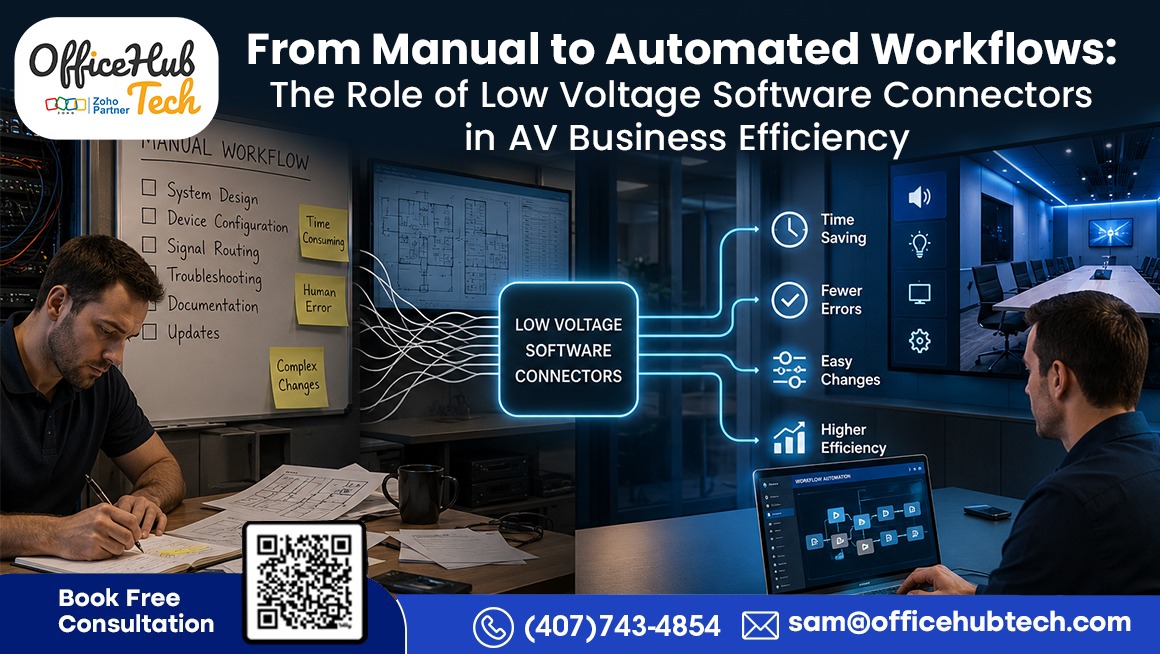
To overcome these challenges, AV businesses are increasingly adopting Low Voltage Software Connectors. These connectors act as an automation layer between business applications, enabling real-time data synchronization and workflow orchestration across departments. Instead of relying on manual updates and fragmented processes, organizations can create connected workflows that automatically move information where it needs to go.
This shift is transforming how AV businesses operate. By eliminating the burden of manual data management, teams can focus on delivering projects faster, enhancing customer experiences, and scaling operations more efficiently. As the industry continues to evolve, Low Voltage Software Connectors for AV Businesses are becoming more than just integration tools—they are a foundational component of workflow automation, sustainable growth, and operational excellence
The Current Operational Challenges AV Businesses Are Facing Today
Despite rapid advancements in AV technology and software tools, many integration businesses continue to struggle with fundamental operational inefficiencies that directly impact productivity and scalability. These challenges are not related to lack of tools, but rather the lack of connectivity between them.
-
Software Fragmentation Across Departments
One of the most critical issues is that different teams—sales, engineering, project management, and operations—use separate software platforms that do not communicate effectively. This creates isolated data environments where information does not flow seamlessly, leading to disconnected workflows and increased dependency on manual coordination.
-
Excessive Manual Data Entry
Another major challenge is repetitive manual data entry across multiple systems. The same project or customer information often needs to be entered several times into different tools, consuming valuable time and significantly increasing the risk of human error and inconsistencies.
-
Engineering and Project Coordination Issues
AV businesses frequently face BOM mismatches, outdated design versions, and misalignment between engineering updates and procurement systems. These gaps lead to rework, confusion, and inefficiencies during project execution.
-
Communication Delays and Spreadsheet Dependency
Many teams still rely on spreadsheets and email-based communication to track project progress. This results in delayed updates, lack of real-time visibility, and poor coordination between departments, especially during fast-moving project phases.
-
Impact on Business Performance
These inefficiencies collectively slow down project delivery, increase operational costs, and reduce overall productivity. Teams spend more time managing data than executing work, while customers experience delays and inconsistent updates.
As AV businesses scale, these challenges become more severe, making automation-driven solutions like low voltage software connectors essential for maintaining efficiency and operational control.
Why Traditional Manual Workflows No Longer Work for Growing AV Businesses
Manual workflows were once sufficient when AV projects were smaller and less dependent on integrated software systems. However, the modern AV ecosystem has evolved significantly.
Today, a single project involves multiple departments working simultaneously—sales, engineering, procurement, project management, installation, and service teams. Each of these departments often uses different software tools, leading to fragmented communication.
For example, when a sales team closes a deal, the information is often manually transferred into project management systems. Engineering teams then update designs separately, while procurement teams manually adjust BOMs. This disconnected flow creates delays and inconsistencies.
Field technicians often face the biggest impact, as they may receive outdated or incomplete project information due to delayed updates. This leads to installation errors and rework.
Manual workflows also limit scalability. As project volume increases, the administrative workload increases exponentially, making it difficult for businesses to grow efficiently.
This is where automation becomes critical. By adopting Low Voltage Software Connectors For AV businesses, companies can eliminate repetitive manual tasks and ensure real-time synchronization across all departments.
The result is a streamlined, connected workflow where every team operates on the same accurate data source.
What Are Low Voltage Software Connectors and How Do They Work?
Low voltage software connectors are specialized workflow automation systems designed specifically for AV and low-voltage industries. They function as a middleware layer that connects different business applications and enables seamless data flow across the entire operational ecosystem.
Instead of traditional one-to-one integrations, these connectors create a multi-system orchestration layer where CRM, engineering, procurement, project management, and field operations work as one synchronized system.
At a technical level, they rely on:
- APIs
- Webhooks
- Event triggers
- Workflow engines
Core architecture:
Software A → Connector Layer → Automation Logic → Software B → Execution
This enables real-time automation of AV workflows such as project creation, BOM updates, task assignment, procurement, and field execution.
D-Tools SI ↔ Zoho CRM Connector (Sales-to-Project Automation Backbone)
What it does
This connector synchronizes sales data, customer information, and project scope between CRM and D-Tools SI to eliminate manual project creation.
How it works
When a deal is marked Closed Won in Zoho CRM, the connector automatically triggers project creation in D-Tools SI along with structured customer and scope data transfer.
AV operations it impacts
- Sales operations
- Customer onboarding
- Project initiation
- Opportunity tracking
- Sales-to-project handoff
Benefits
- Eliminates manual data entry
- Speeds up project kickoff
- Reduces human errors
- Ensures data consistency
Business impact
This removes the biggest bottleneck in AV workflows: the gap between sales closure and project execution. Teams no longer rely on disconnected records and can access consistent information instantly.
Real-world use case
An AV integrator closes a conference room project in Zoho CRM. The system automatically generates a structured D-Tools SI project with customer details, scope, and initial execution readiness.
D-Tools SI ↔ Pipedrive Connector (Pipeline-to-Operations Alignment)
What it does
Connects sales pipeline progression with operational readiness.
How it works
As opportunities move through stages in Pipedrive, project data is continuously synchronized for early operational planning.
AV operations it impacts
- Sales forecasting
- Resource planning
- Pre-project engineering preparation
Benefits
- Better visibility into upcoming projects
- Improved forecasting accuracy
- Earlier operational readiness
Business impact
Operations teams can prepare resources before deal closure, reducing delays in execution.
Real-world use case
When a deal enters the final negotiation stage, engineering and project teams begin planning resources automatically.
D-Tools SI ↔ Monday.com Connector (Project Execution Automation)
What it does
Automates task creation, project tracking, and execution workflows.
How it works
Project details from D-Tools SI flow into Monday.com, where they are organized into tasks, milestones, and team responsibilities for streamlined execution.
AV operations it impacts
- Project management
- Task assignment
- Installation scheduling
- Milestone tracking
Benefits
- Eliminates manual task creation
- Standardizes workflows
- Improves accountability
- Enhances execution speed
Business impact
Project execution becomes fully structured and automated across departments.
Real-world use case
Installation, programming, commissioning, and QA tasks are automatically generated when a project is created.
D-Tools SI ↔ SharePoint Connector (Documentation Control System)
What it does
Centralizes project documentation and ensures real-time synchronization of engineering files.
How it works
Any update in D-Tools SI documentation is automatically reflected in SharePoint with version control.
AV operations it impacts
- Engineering documentation
- Design revisions
- Version control
- Collaboration workflows
Benefits
- Eliminates version confusion
- Creates a single source of truth
- Improves collaboration
- Reduces errors
Business impact
All stakeholders work on the latest approved documentation without manual sharing.
Real-world use case
A revised floor plan is automatically updated in SharePoint and instantly available to installers.
D-Tools SI ↔ Google Drive Connector (Field Collaboration Enablement)
What it does
Enables real-time file synchronization for distributed AV teams.
How it works
Project documentation and assets are continuously synchronized and structured across Google Drive folders for easy access.
AV operations it impacts
- Field operations
- Remote collaboration
- Installation execution
Benefits
- Simplifies file access
- Reduces manual uploads
- Improves mobility for teams
Business impact
Field teams always operate with the most up-to-date project information.
Real-world use case
Technicians access updated rack layouts and cable schedules directly on-site.
Zapier ↔ D-Tools SI Connector (Automation Orchestration Layer for AV Ecosystem)
What it does
Acts as an automation layer that uses Zapier to trigger and coordinate structured AV workflows within D-Tools SI and connected systems.
How it works
Zapier processes events from connected applications and sends structured data into D-Tools SI to automatically initiate operational workflows.
AV operations it impacts
- Cross-platform workflow automation
- Sales-to-project initiation
- Data synchronization across tools
- Process orchestration
- Operational workflow execution
Benefits
- Extends D-Tools SI beyond native integrations
- Enables event-driven automation across systems
- Reduces manual workflow triggers
- Connects multiple business applications
- Improves AV operational scalability
Business impact
Makes D-Tools SI the execution hub and Zapier the automation layer, creating a unified AV workflow ecosystem.
Real-world use case
A new project request submitted through a Zapier-connected web form automatically creates a project, assigns engineering tasks, sets up documentation, and initiates downstream workflows in D-Tools SI.
Zapier ↔ XTEN-AV Connector (Design-to-Execution Sync)
What it does
Connects AV design and proposal workflows.
How it works
Design updates in XTEN-AV automatically sync into project workflows.
AV operations it impacts
- System design
- Proposal generation
- Estimation workflows
Benefits
- Reduces duplication
- Improves accuracy
- Speeds up proposals
Business impact
Design and estimation workflows become fully aligned.
Real-world use case
A design change automatically updates proposal documents without manual intervention.
Zapier ↔ iPoint Connector (Procurement Automation Layer)
What it does
Automates procurement and inventory coordination based on project needs.
How it works
BOM and material data is transferred automatically between systems.
AV operations it impacts
- Procurement
- Inventory management
- Material planning
Benefits
- Reduces procurement delays
- Improves accuracy
- Eliminates manual ordering errors
Business impact
Procurement becomes fully synchronized with engineering changes.
Real-world use case
A BOM update automatically triggers procurement updates in real time.
Zapier ↔ Simpro Connector (Field Service Optimization)
What it does
Connects job scheduling and field service operations.
How it works
Job updates and technician assignments sync automatically across systems.
AV operations it impacts
- Field service
- Job scheduling
- Technician coordination
Benefits
- Improves field efficiency
- Reduces scheduling errors
- Enhances execution accuracy
Business impact
Field teams always work with accurate job schedules.
Real-world use case
A schedule change automatically updates technician assignments instantly.
Zapier ↔ System Surveyor Connector (Site Survey Automation)
What it does
Automates site survey data integration into project workflows.
How it works
Survey data is captured and automatically converted into structured project inputs.
AV operations it impacts
- Site surveys
- Pre-sales engineering
- Project planning
Benefits
- Reduces manual documentation
- Improves planning accuracy
- Speeds up design phase
Business impact
Survey-to-design workflows become fully automated.
Real-world use case
A site survey automatically generates structured input for system design.
Business Outcomes of Full Connector Ecosystem
When all these low voltage software connectors operate together, AV businesses experience:
Operational outcomes
- End-to-end workflow automation
- Real-time data synchronization
- Reduced manual dependency
- Faster project execution
Financial outcomes
- Lower operational costs
- Fewer errors and rework
- Higher efficiency margins
Strategic outcomes
- Scalable operations
- Data-driven decision making
- Stronger competitive advantage
Insight
This connector ecosystem transforms AV businesses from:
Fragmented tools + manual workflows → Fully automated connected operations
Every department—sales, engineering, procurement, project management, and field service—operates as a single synchronized system powered by low voltage software connectors.
Native Integrations vs Low Voltage Software Connectors: Why AV Businesses Need More Than Basic Connectivity
Many AV businesses initially rely on native integrations between software platforms. While these integrations offer basic connectivity, they are not designed for complex operational workflows.
Native Integrations:
- Limited to one-to-one system connections
- Basic data synchronization only
- No workflow intelligence or automation logic
- Difficult to scale across multiple tools
- Minimal customization for AV-specific processes
Low Voltage Software Connectors:
- Multi-system integration across entire business ecosystem
- Event-driven workflow automation
- Real-time data synchronization across departments
- Custom business logic tailored for AV workflows
- Scalable architecture for growing integrators
For Low Voltage Software Connectors For AV System Integrators, this difference becomes even more critical because commercial projects involve larger teams, more systems, and higher complexity.
While native integrations focus on moving data between platforms, low voltage software connectors establish a comprehensive operational foundation that drives connected business operations. They not only connect systems but actively manage how information flows across the business.
Technical Architecture Behind Automated AV Business Workflows
Behind every automated AV workflow lies a strong technical foundation designed for scalability, reliability, and real-time execution.
At the core, low voltage software connectors rely on APIs to enable communication between different software platforms. Webhooks are used to trigger actions instantly when specific events occur, such as project updates or status changes.
An event-driven architecture ensures that workflows are executed dynamically based on business activities rather than static schedules. This allows AV businesses to respond in real time to operational changes.
A workflow engine manages the sequence of automated tasks, ensuring that each step is executed in the correct order. Data transformation layers convert information between different system formats so that all platforms can interpret it correctly.
Business rules engines define conditions for automation, such as triggering procurement only when a project reaches a specific approval stage.
Security is also a critical component. Role-based access control, authentication protocols, encryption, and audit logs ensure that sensitive project data remains secure while flowing across systems.
This technical foundation enables AV businesses to scale automation without compromising reliability or data integrity.
Real Case Study Scenarios: Proof of Automation Impact in AV Businesses
To truly understand the impact of low voltage software connectors, it is important to look at real operational scenarios where automation replaces manual coordination and improves business performance.
Case Study 1: Eliminating Manual Sales-to-Project Handoffs
In many AV companies, once a deal is closed, sales teams manually transfer customer and project details into project management systems. This approach is time-consuming and increases the risk of data inaccuracies and operational errors.
Before Automation:
- Manual data entry after deal closure
- Delays in project kickoff
- Frequent missing or incorrect information
After Automation with Connectors:
- Once a deal reaches the “won” stage, the system automatically initiates project creation
- Customer data syncs instantly across systems
- The system automatically assigns responsibilities to engineering and project teams
Result:
Faster project initiation, reduced administrative workload, and improved accuracy across departments.
Case Study 2: Reducing BOM Errors Across Engineering and Procurement
BOM mismatches are one of the most common issues in AV projects, especially when engineering updates are not reflected in procurement systems.
Before Automation:
- Manual BOM updates
- Outdated procurement lists
- Frequent reordering and delays
After Automation:
- BOM updates are instantly synchronized across all systems
- Procurement receives real-time changes
- Engineering revisions automatically reflected everywhere
Result:
Reduced rework, fewer procurement errors, and improved project cost control.
Case Study 3: Streamlining Field Operations and Service Coordination
Field technicians often face delays due to outdated information or manual scheduling errors.
Before Automation:
- Manual assignment of technicians
- Delayed updates for installation changes
- Miscommunication between office and field teams
After Automation:
- Automatic task assignment based on project status
- Real-time updates pushed to field teams
- Service tickets triggered automatically after system events
Result:
Improved installation efficiency, faster response times, and better service delivery.
How OfficeHub Tech Helps AV Businesses Build Connected and Automated Operations
As a customized workflow solution provider for AV System Integrators in USA, OfficeHub Tech plays a key role in helping AV businesses transition from manual operations to fully automated ecosystems.
Instead of simply offering software tools, the approach focuses on designing end-to-end workflow intelligence across the entire business.
Step 1: Workflow Assessment
Existing processes across sales, engineering, procurement, and field operations are analyzed to identify inefficiencies and automation opportunities.
Step 2: Software Ecosystem Mapping
All tools used by the AV business are mapped to understand how data flows between systems and where breakdowns occur.
Step 3: Connector Design
Custom low voltage software connectors are designed to bridge gaps between disconnected systems.
Step 4: Automation Implementation
Workflows are automated across departments, ensuring real-time data synchronization and process alignment.
Step 5: System Integration & Testing
All workflows are tested to ensure accuracy, reliability, and performance across systems.
Step 6: Optimization & Scaling
As the business grows, automation is refined and expanded to cover additional processes.
This structured approach ensures AV businesses do not just connect software—but build a fully integrated operational ecosystem that scales with growth.
The Evolution of AV Operations: Moving Beyond Automation to Intelligent Business Systems
The AV industry is entering a new phase of digital transformation. Workflow automation is only the beginning of a much larger shift toward intelligent operations.
The evolution typically follows this path:
Manual Operations → Connected Systems → Automated Workflows → Intelligent Business Ecosystems
In the near future, AV businesses will move beyond automation into predictive and AI-assisted operations.
Emerging trends include:
- Intelligent project forecasting through analysis of previous project data
- AI-assisted resource allocation
- Intelligent scheduling systems for field teams
- Conversational interfaces for business operations
- Automated decision-making support systems
- Self-optimizing workflows based on performance data
Low voltage software connectors will act as the foundational layer for this transformation. Without connected systems and real-time data flow, AI-driven automation cannot function effectively.
For both residential and commercial system integrators, this shift will redefine how projects are designed, executed, and managed.
Businesses that adopt automation early will be better positioned to leverage AI-driven efficiencies in the future.
Conclusion: From Manual Chaos to Intelligent AV Operations
The AV industry is rapidly shifting away from manual, disconnected workflows toward more unified and automated operations. As projects become more complex and teams rely on multiple software tools, traditional processes built on spreadsheets and manual updates are no longer sustainable.
This is where low voltage software connectors play a transformative role. By bridging the gap between different systems, they help AV businesses eliminate repetitive manual work and ensure information flows seamlessly across departments in real time.
The impact is significant across the business:
- Faster and more coordinated project execution
- Fewer operational errors caused by manual handling
- Stronger collaboration between sales, engineering, and field teams
- Easier scalability as business operations grow
- Improved overall efficiency and profitability
When implemented strategically with the right workflow approach, automation becomes more than a technical upgrade—it becomes a foundation for operational clarity and long-term business growth.
Ultimately, AV companies that move toward connected systems today are positioning themselves for a more intelligent, efficient, and scalable future.